


Learn why workflows fall short, how semantic models limit agents, and how Zayer empowers them to deliver on-demand insights, power go-to-market strategies, support product teams, and accelerate revenue growth.

In our last “AI @ Crossbeam” installment, we talked about a few of the ways we started incorporating AI, and specifically ELG within AI, into our internal processes. The impact these workflows and agents have had is substantial, touching every function across the business and being used hundreds, even thousands of times each week.
The challenge: AI agents and data access
When we set out to build our first agent though, we ran into one particularly thorny problem where there wasn’t a clear solution — how do we let our agent get access to any of the data it could need in our data stack (usually stored in a data warehouse, like Snowflake or Databricks)?
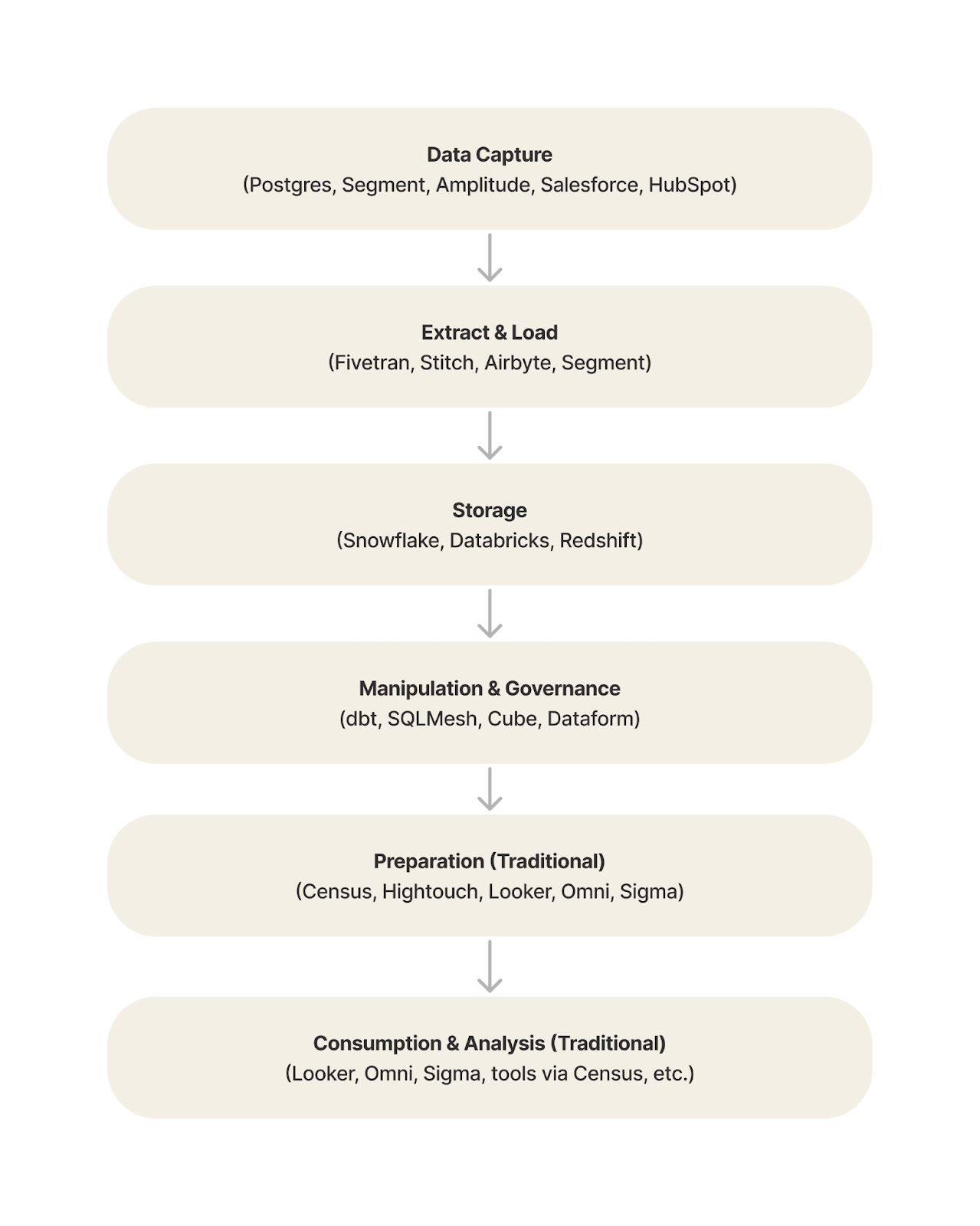
AI workflows vs. AI agents: Data needs
For AI workflows, this isn’t as much of a problem — you’re putting the AI on much tighter guardrails, and if you’re feeding it data from the stack, you set up exactly where it comes from ahead of time as part of that workflow. This is still powerful, but it’s narrow and predefined, not covering wide possible use cases.
AI agents, by design, need to request a far wider (near infinite) possible range of things to accomplish their tasks. Now this isn’t too difficult with most tools, like a CRM, a product help center, a knowledge store, etc., because the agent is usually able to search via API or MCP for relevant text, and matching text is given back. LLMs are good at parsing text, and it can usually get what it needs through that.
The problem with structured data and SQL
Structured data from analytics (think tables, rows, and columns) is different — it’s why SQL as a language exists, to extract the right data for the right problem. The agent can’t just search via an API.
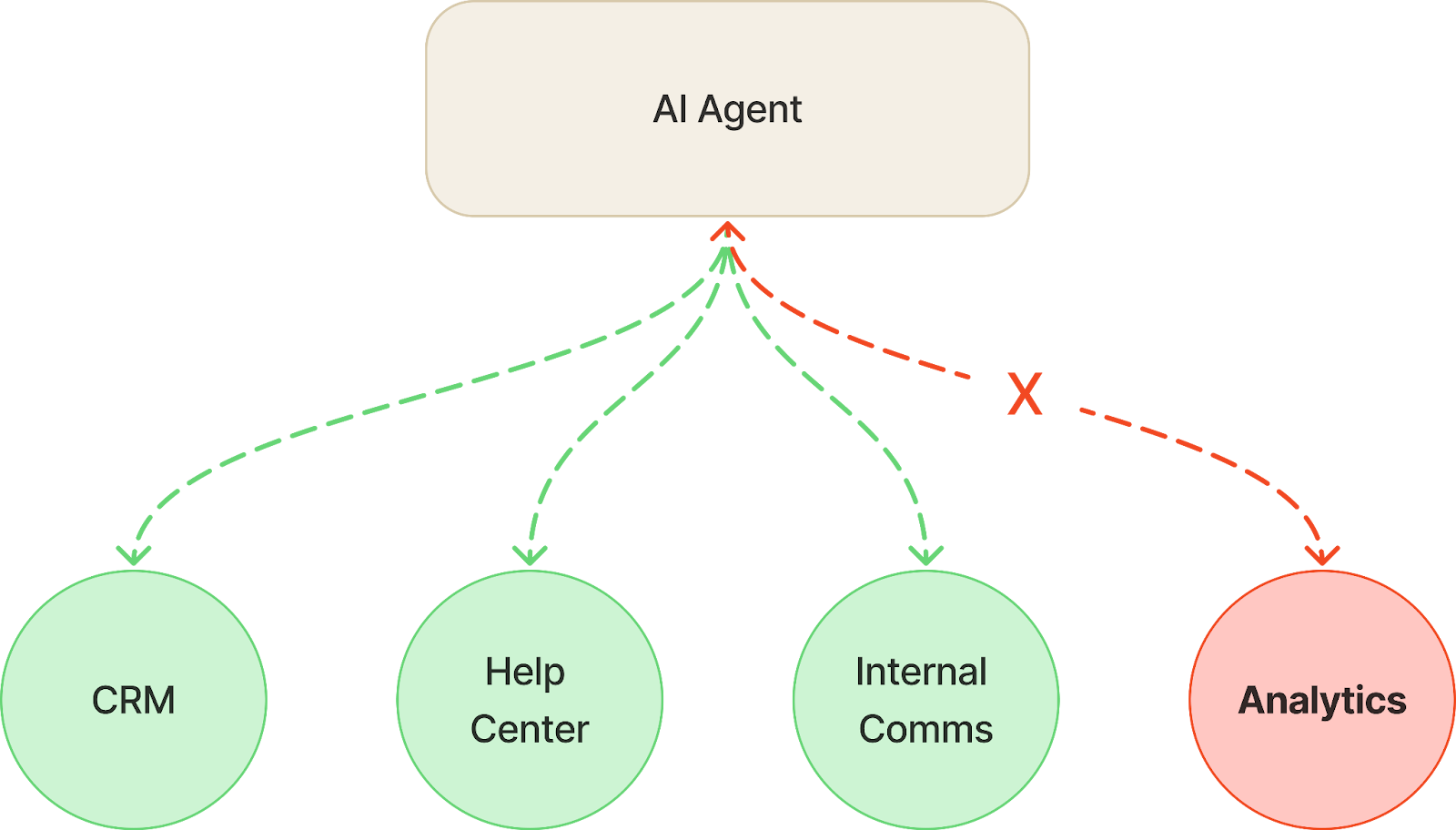
And here’s the killer: the data that lives in your data stack is the most powerful, useful data you have at your company. It’s where product usage, marketing interaction, sales engagement, Crossbeam ELG data, and much more coexist. Your data team has likely spent time in tools like dbt ensuring that all this raw data is transformed into something incredibly valuable, powering what you experience in your data visualization tools and much more.
So just tell your agent to write SQL, right? Well, writing the code isn’t too hard — what’s hard is knowing what code to write. What columns should be used? How do you join multiple data sets together? What does a specific term, like “login”, actually mean? (At Crossbeam, it’s the number of unique days a person is intentionally using a part of the product).
This is where things get gnarly for an agent. The more possible things it could ask from this data, the more it needs to know about it to properly extract it. Broadly speaking, this is a semantic model — the way you explain to AI how to convert natural language into a query in a way that makes sense for your data and your business. Semantic model tools do exist but they’re built to help your business intelligence tools, like data visualization, where needs are consistent and predictable. You’ll never be able to cover all the possible ad hoc things your agent will ask of your data using one. So your agent ultimately falls short of what it was supposed to do and fails…
Introducing Zayer: The data team for your AI agents
At least, that’s what would happen if we didn’t create Zayer to solve this. It gives any AI agent an entire team of data experts tailored to your data stack, allowing your agent to ask any question and get the answer, data and context it needs to carry out its work — no matter how wide ranging and autonomous it is.
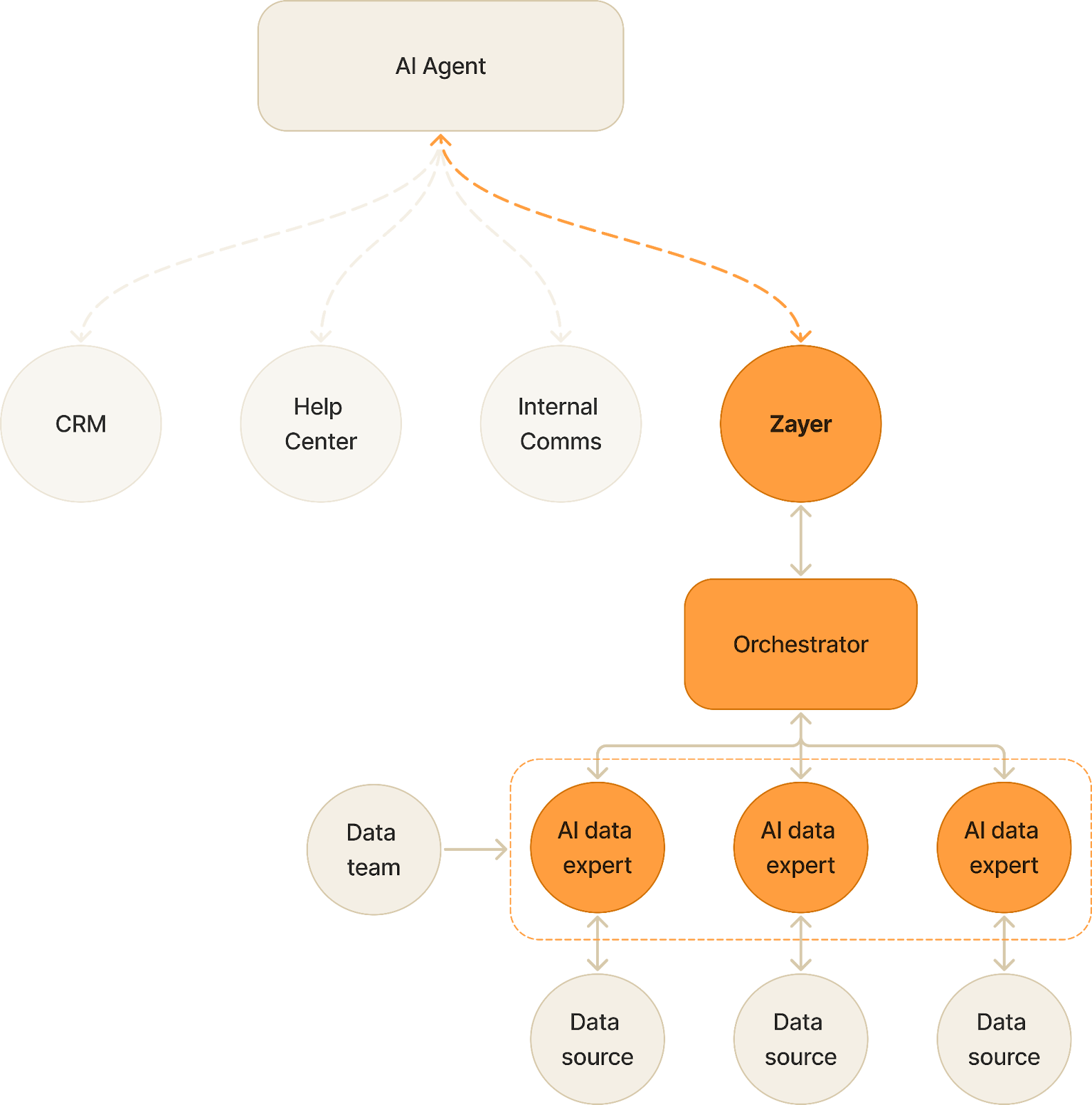
How Zayer empowers your AI agents
You add it to your agents just like any other tool through an API or MCP. Your data team maintains the data experts through Zayer, refining logic easily as needed in a way that’s more familiar, more effective, and more scalable than a single semantic model. Spinning up a new data expert takes a minute and is immediately available.
Real-world examples: Zayer in action
What can your agent do now with these superpowers? Provide data on demand for anyone on your team, create complex go to market plans, write tailored emails for your revenue teams, help your product team understand which features are driving conversions, and much more. Here are some examples of how our own AI Assistant was powered by the data Zayer provided:
The CEO asks for an overview of our relationship with a big prospect. Zayer provides all this through the Gong call recordings and product usage data we have in Snowflake:
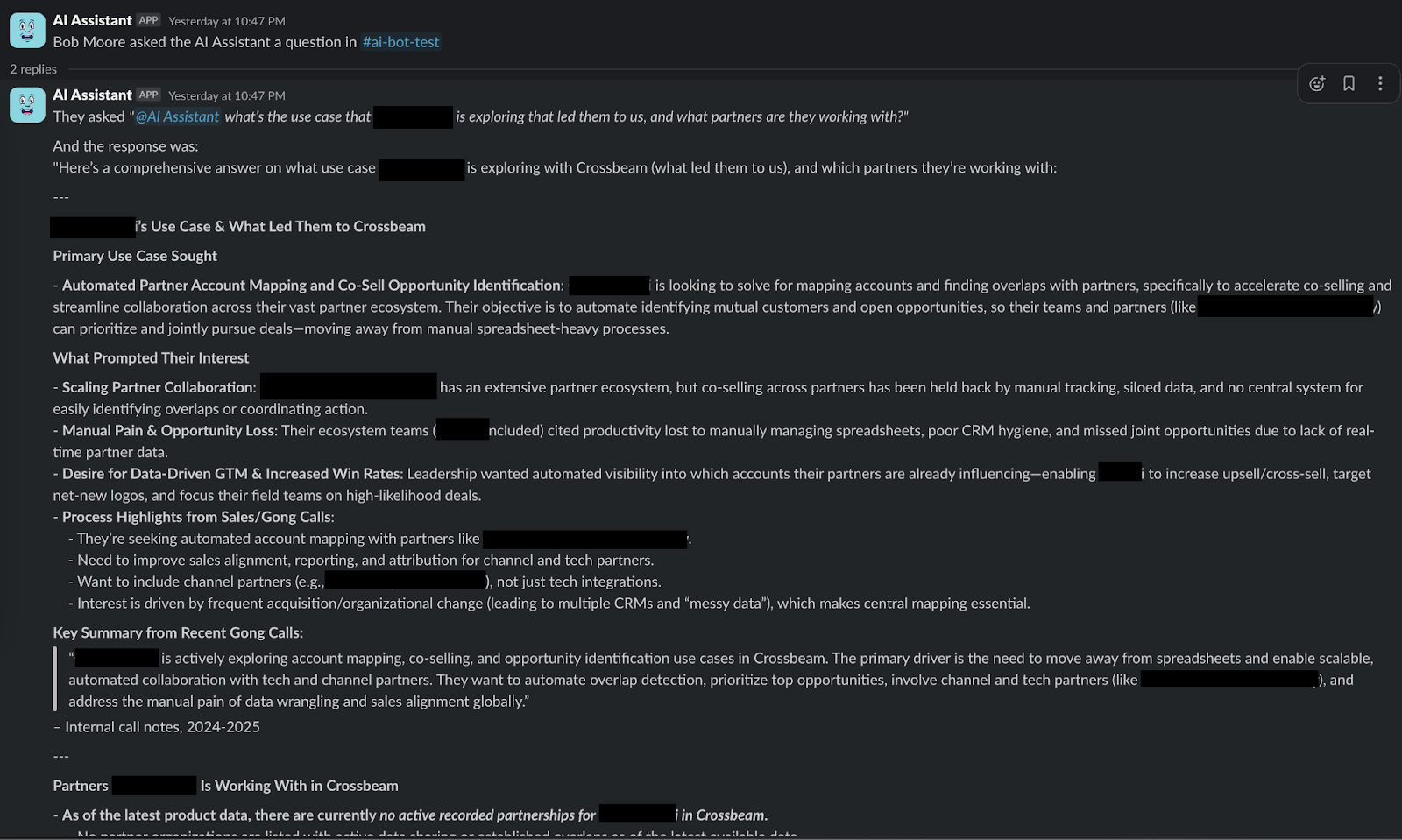
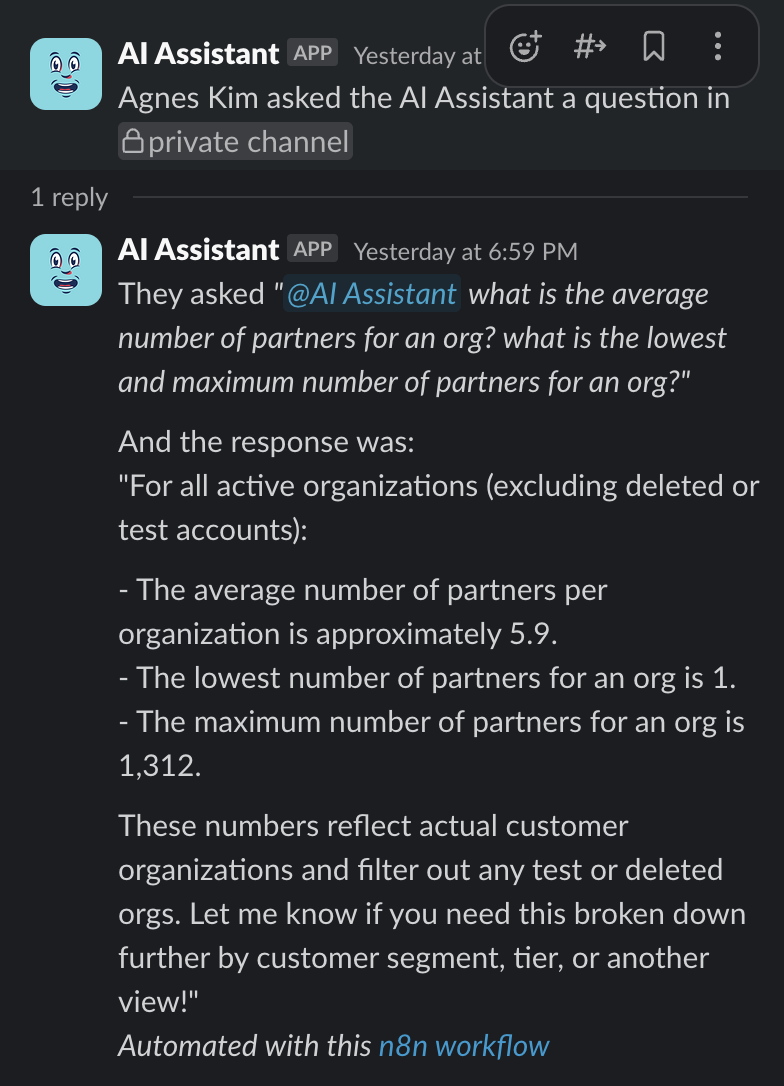
A product designer wants to know some product usage stats to inform the designs they're making:
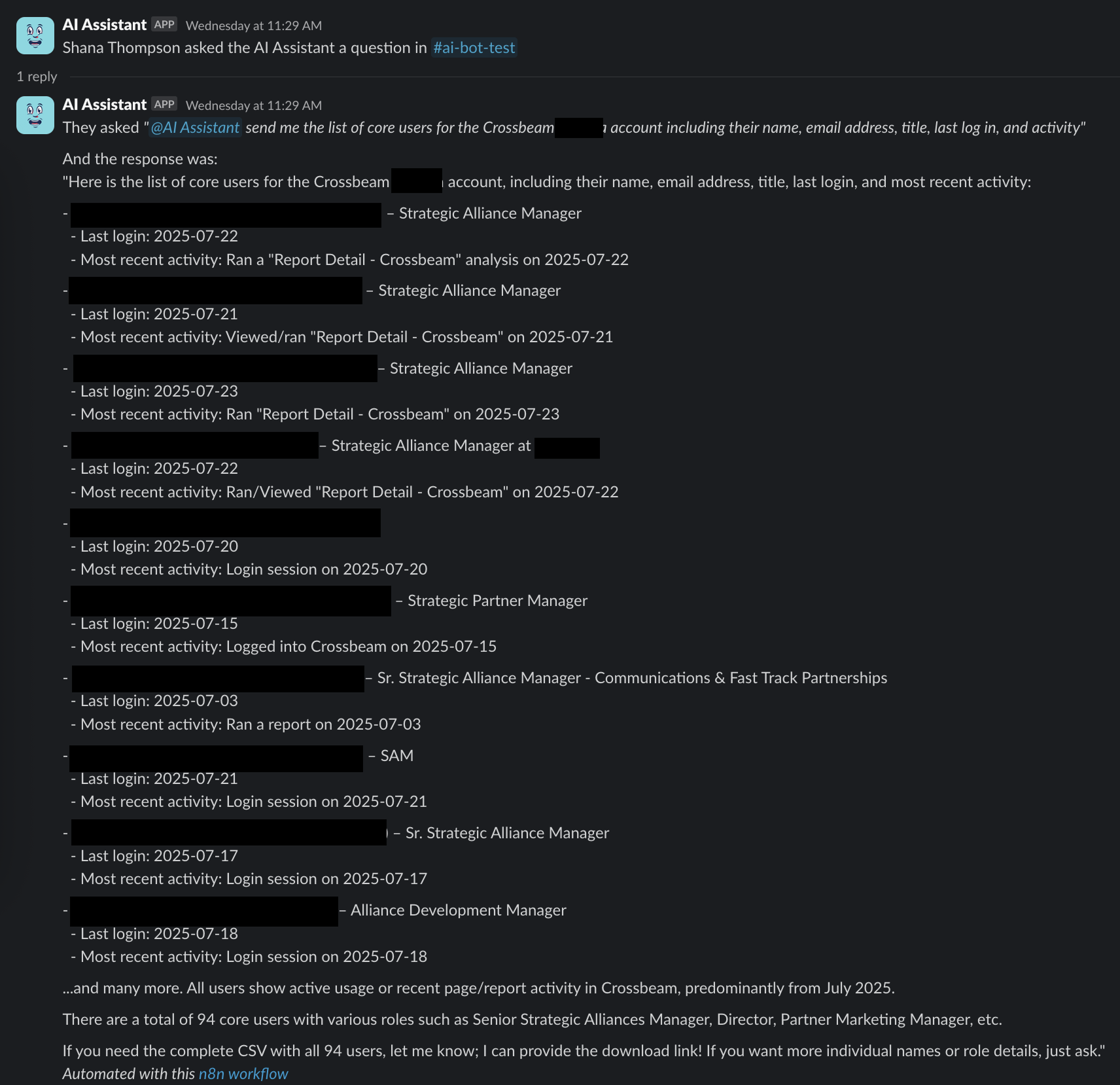
A CSM wants to get a list of users for their account and some stats about them for the customer (and Zayer also generates the CSV download link, which was provided in a follow up):
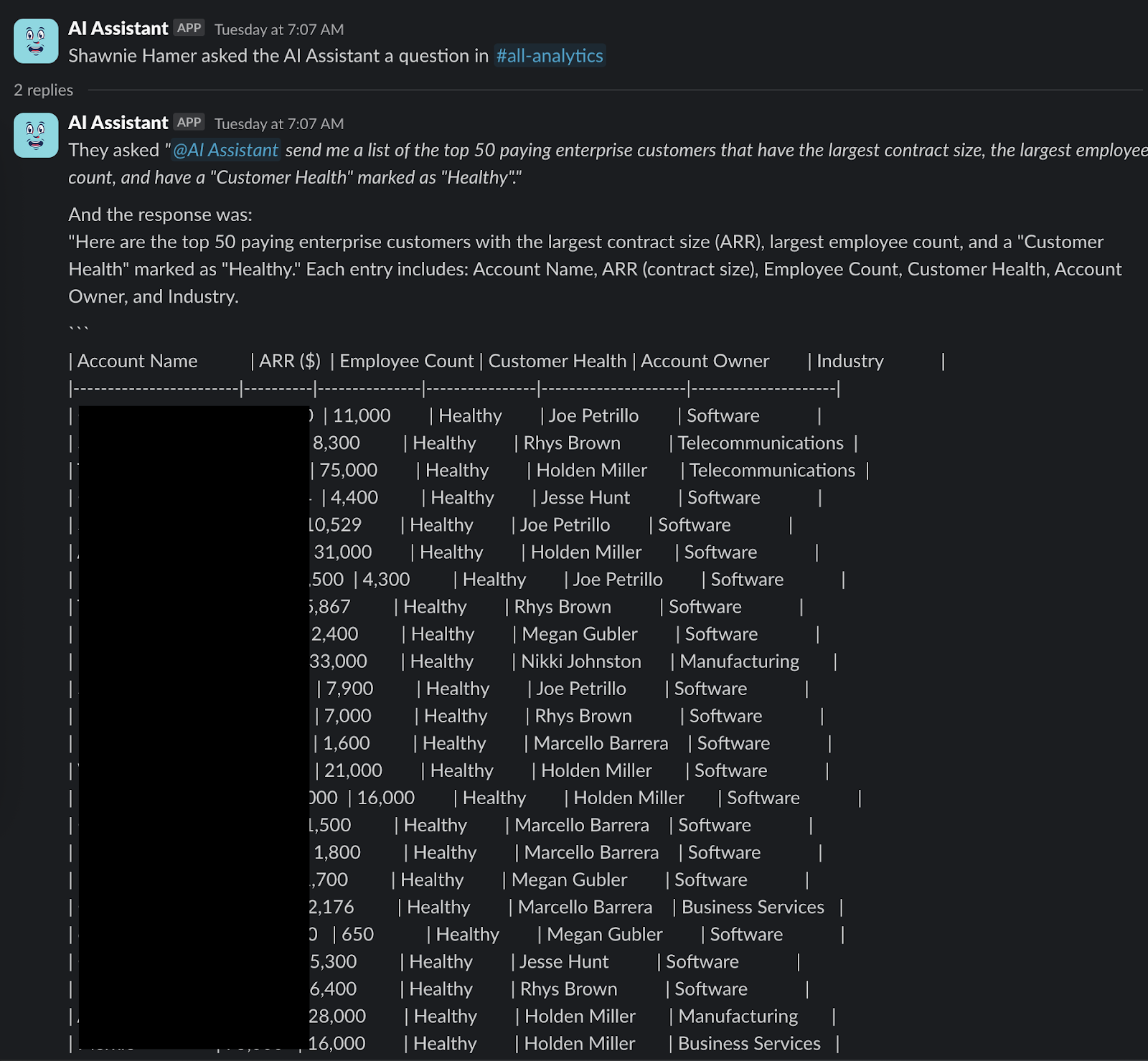
The Head of Marketing asks about top customers:
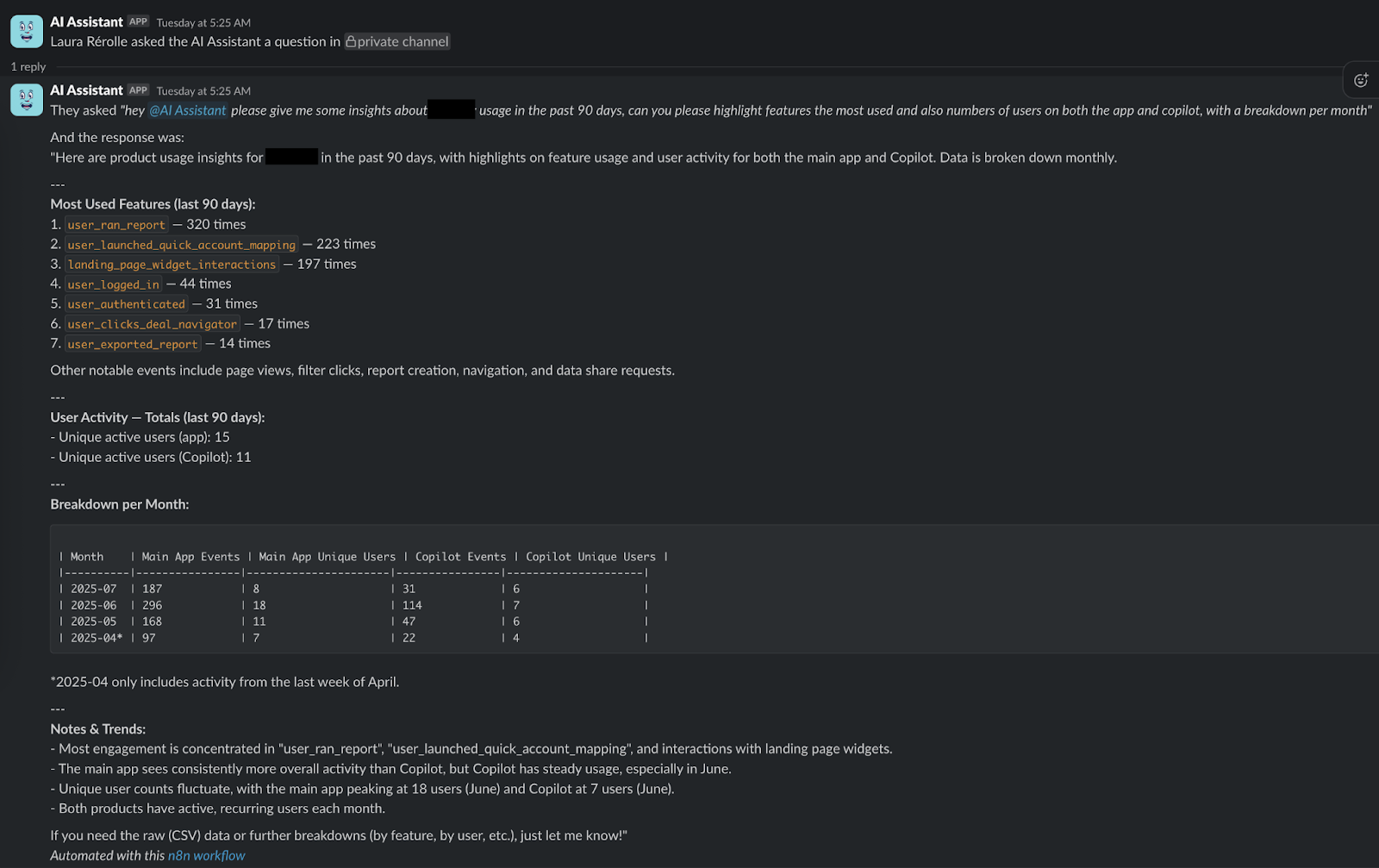
A sales rep asks about specific feature usage for an account:
We found what Zayer did was so useful, I decided to spin it out into its own product and company. Since then, we’ve signed on new pilot customers who are using it in their own agent builds, and the response has been overwhelming. Our first customers tell us Zayer is dramatically improving their jobs.
Want to give it a try yourself? Get a completely free AI analyst for Slack at zayer.ai, or reach out to me directly at matt@zayer.ai. I’ll even help you stand up your first AI agent from scratch if you haven’t built one yet.